How to Create a Citrix Cloud Tenant (CCID) for LAS Purposes
Article ID: CTX696369
Updated On:
Description
Follow the steps below to create a New cloud account for the customer:
-
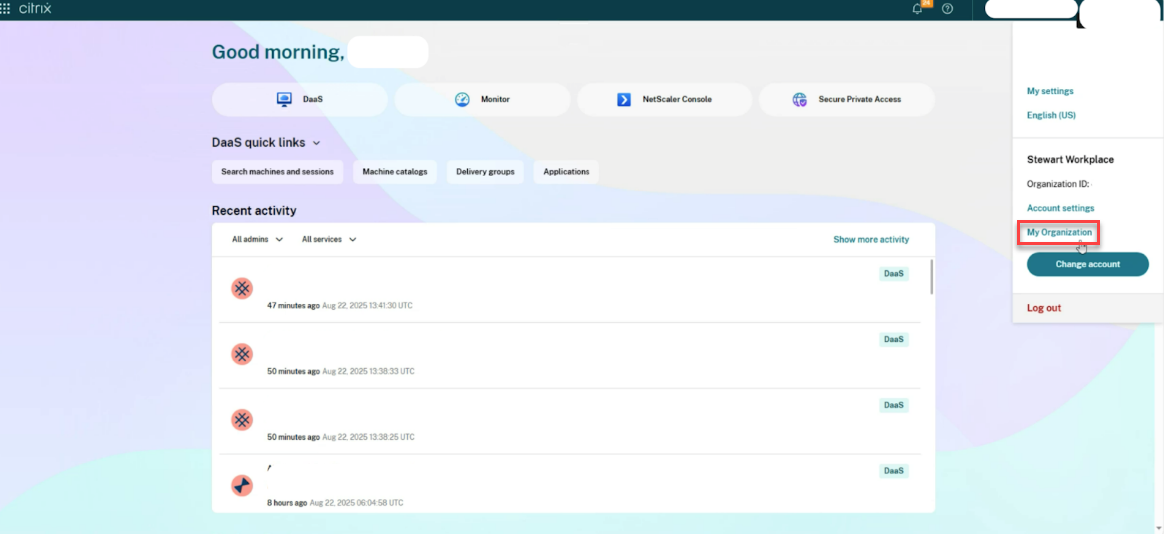
From the Citrix Cloud console, In the profile menu, click My Organization to begin.
Note:
If you don’t see My Organization option, then you don’t have the right privilege to access it. Request your MyCitrix Account admin to add you as the correct admin for managing the licenses. For more information, refer to the Support link.
If you are an existing Citrix customer and don’t have a Citrix Cloud account, onboard the cloud tenant by visiting My Organization and follow the steps in Citrix Cloud account management.
If you’re new to Citrix®, sign up by contacting the account representatives to have your OrgID created.
-
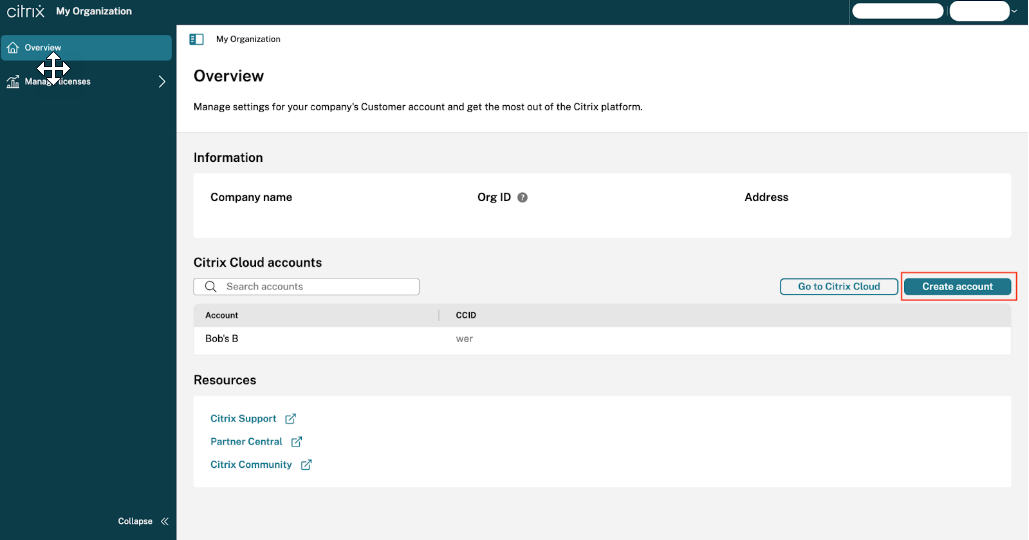
From My Organization home page, click Create account.
Note:
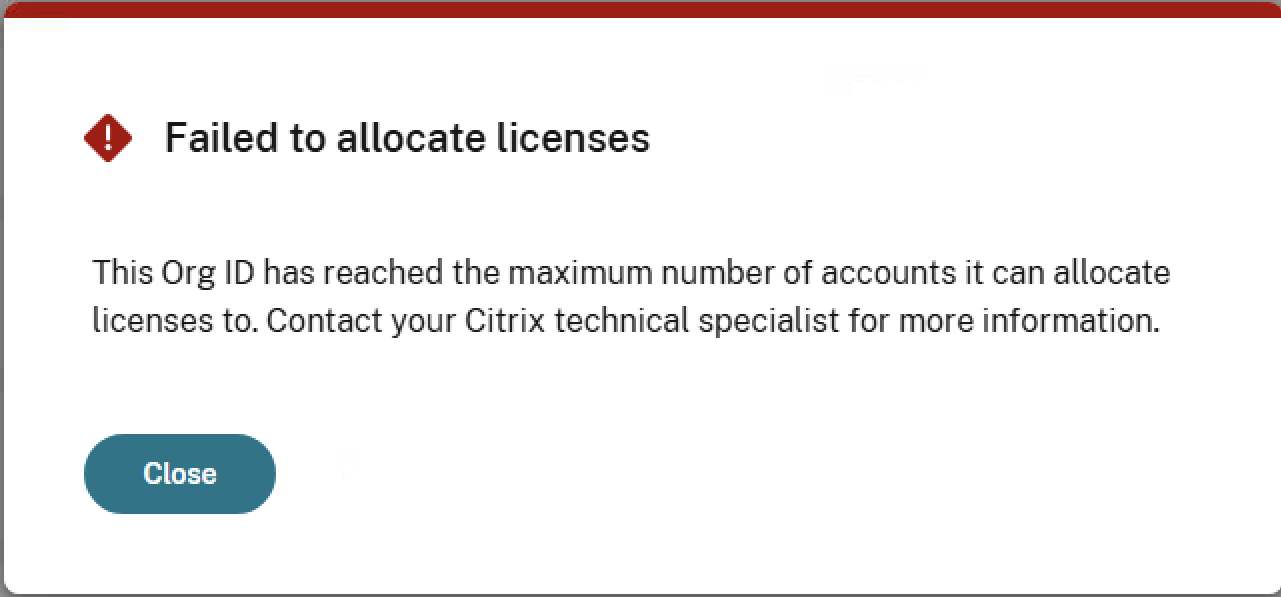
Citrix Customers can independently create new cloud tenants and manage licenses within My Organization. If you see the below message while allocating the licenses to onboarded cloud tenants, then you have reached the maximum number of accounts you can allocate licenses to, based on your total license quantities. For more information, get in touch with your Citrix Contact.
Citrix Partner is allowed to onboard only their first partner Citrix Cloud Account from My Organization . For onboarding any new customers, refer to My customers Dashboard.
-
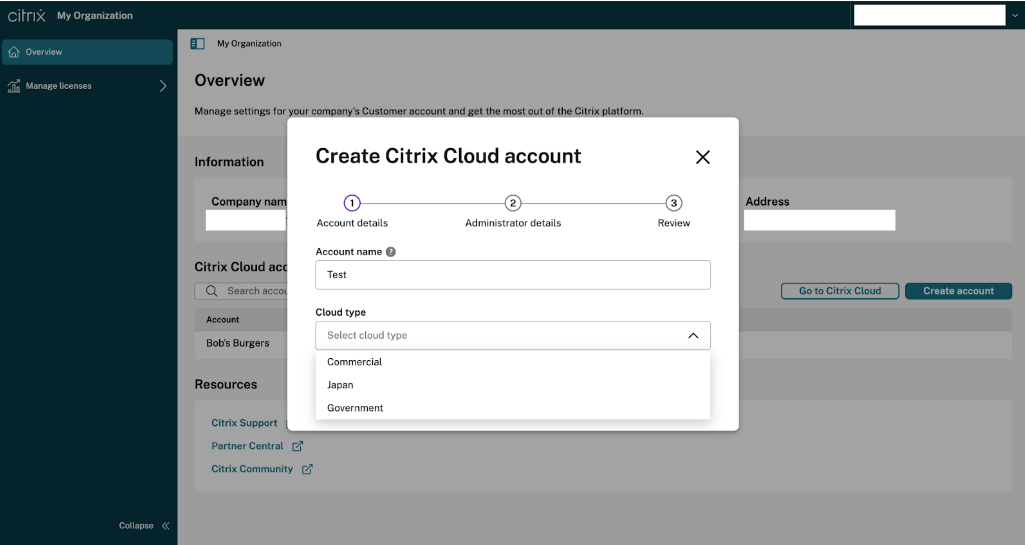
Enter the Account name and Select the Cloud type from the drop-down list options and click Next.
Note:
The Cloud type available options are Government, Japan, and Commercial.
-
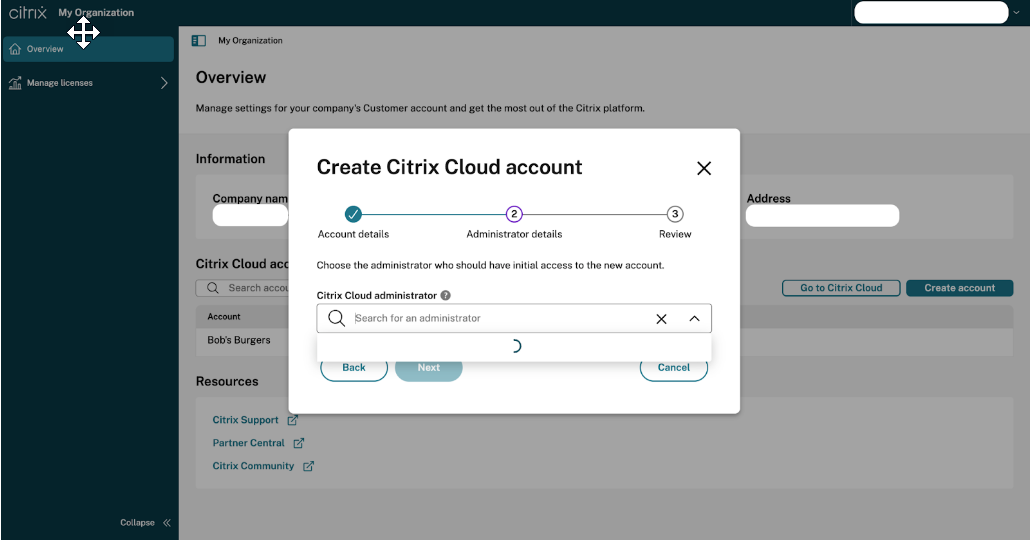
Select the Citrix Cloud administrator who should have initial access to the account. This administrator receives the initial login information. Then click Next.
-
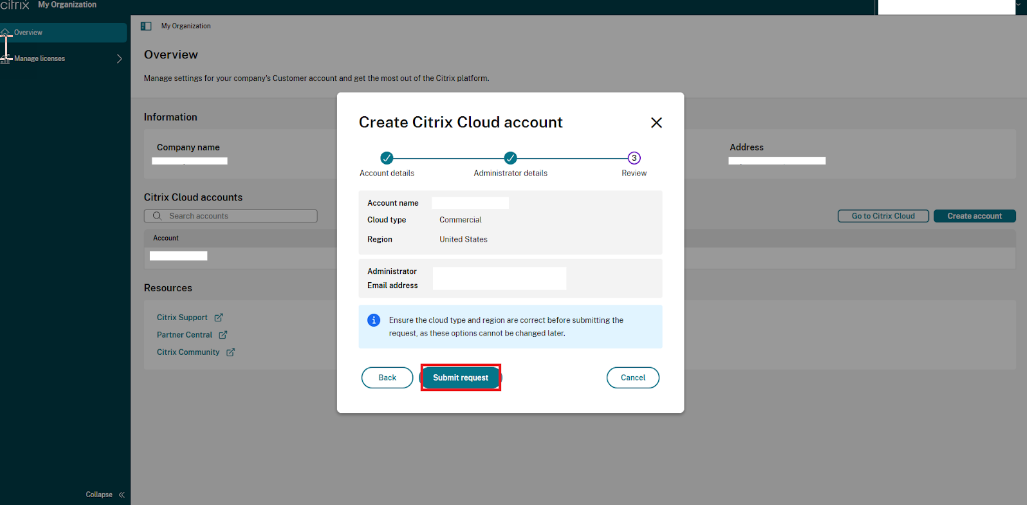
Confirm the Account name, Cloud type, and Administrator details, and then click Submit request.
-
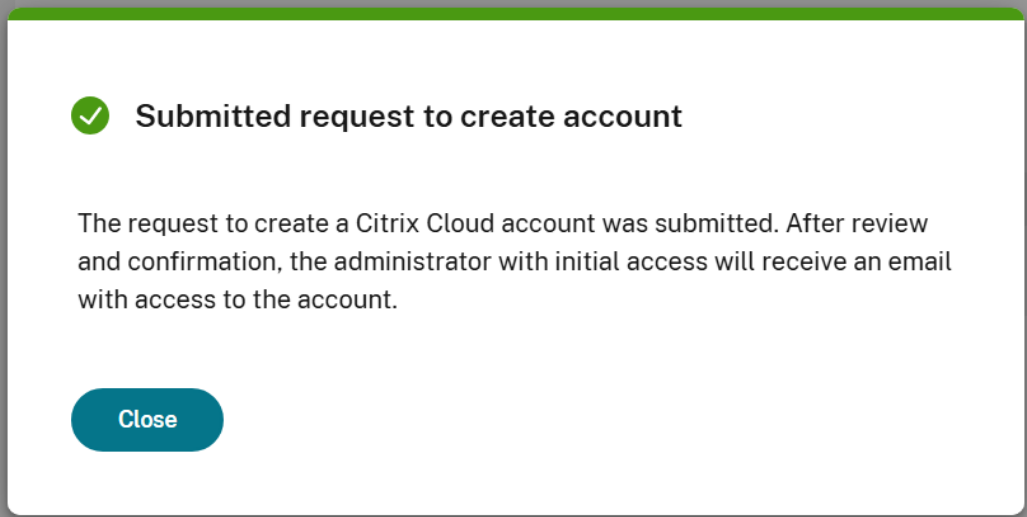
You notice a pop-up message stating that the Account is successfully created.
- The Newly added admin will receive an invite email to login to the cloud account:

- Once a new admin is added to the account, all existing cloud admins will be notified via email:

Issue/Introduction
This article walks you through the process of onboarding a Citrix Cloud Account and managing licenses for an account.
This article can also be used for scenarios where customer is looking to add cloud tenants for LAS registration.
Additional Information
https://docs.citrix.com/en-us/citrix-cloud/overview/signing-up-for-citrix-cloud/account-management#create-a-citrix-cloud-account
